No Terminal.
PayPal Card Payments
Starting Today.
If you have a PayPal account, you can start accepting credit card payments with just a smartphone. No terminal, no app install. Cost-effective for sole traders and SMEs.
We Solve These Pain Points
- ✕ Card terminal monthly fees & deposits are expensive
- ✕ Screening takes weeks or more
- ✕ Lugging around a card reader is a hassle
- ✕ No way to accept payment from foreign customers without cash
- ✕ Sole traders often get rejected in screening
- ✓ Start immediately with just a PayPal account
- ✓ Monthly plan + system fee only. Zero terminal cost
- ✓ Your smartphone becomes your register
- ✓ Foreign customers can pay by card too
- ✓ Sole traders & freelancers can start the same day
Only 3 Steps
No complicated setup. You can use it today.
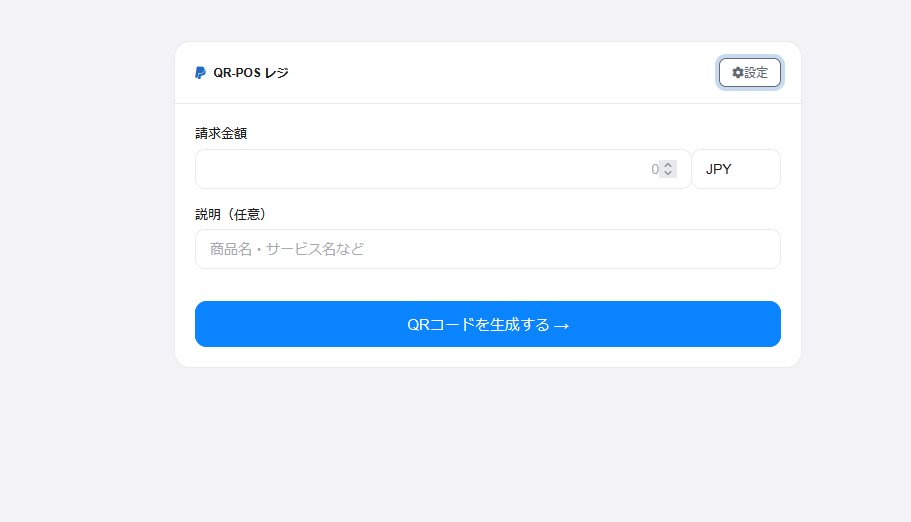
Enter the Amount
Enter the charge amount and item name in the QR-POS register. JPY and USD supported.
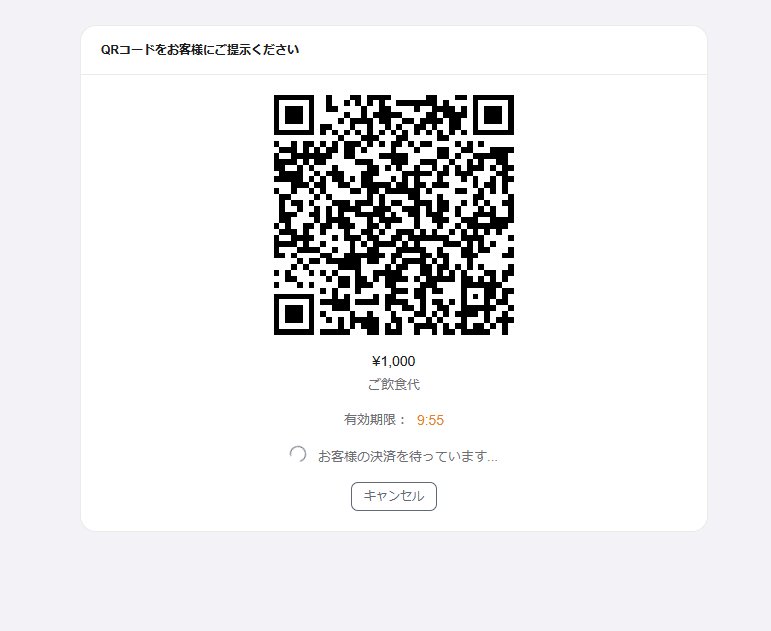
Show QR to Customer
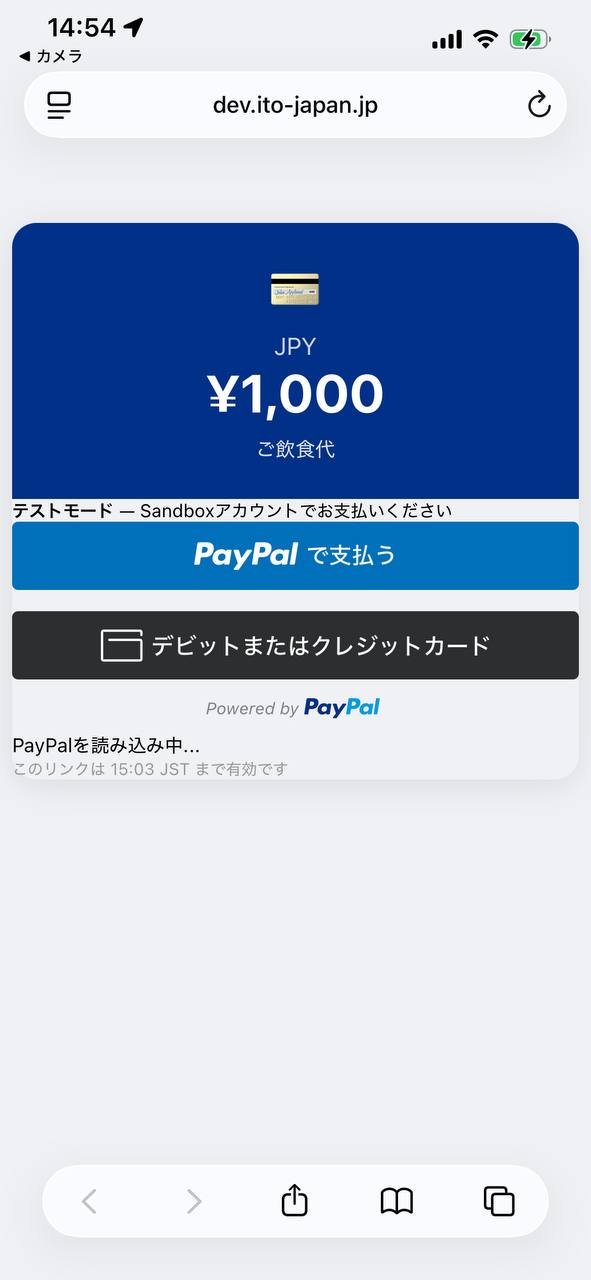
Just have the customer scan the auto-generated QR code with their smartphone.
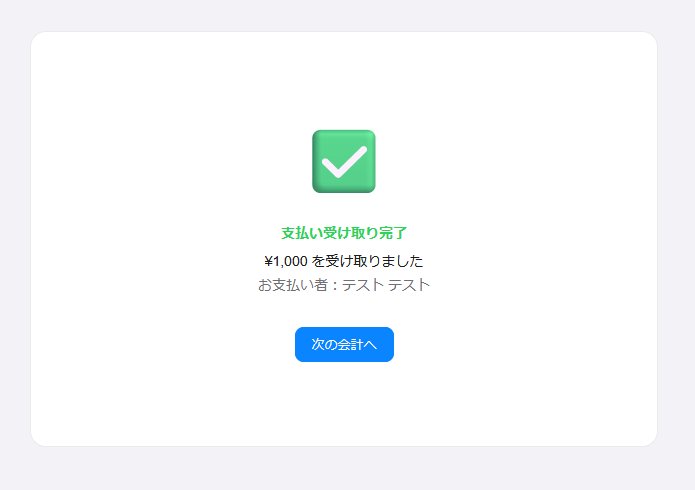
Done — Automatically
Once the customer pays via PayPal or card, your screen switches to "Payment Received" automatically.
This Is the Real Thing
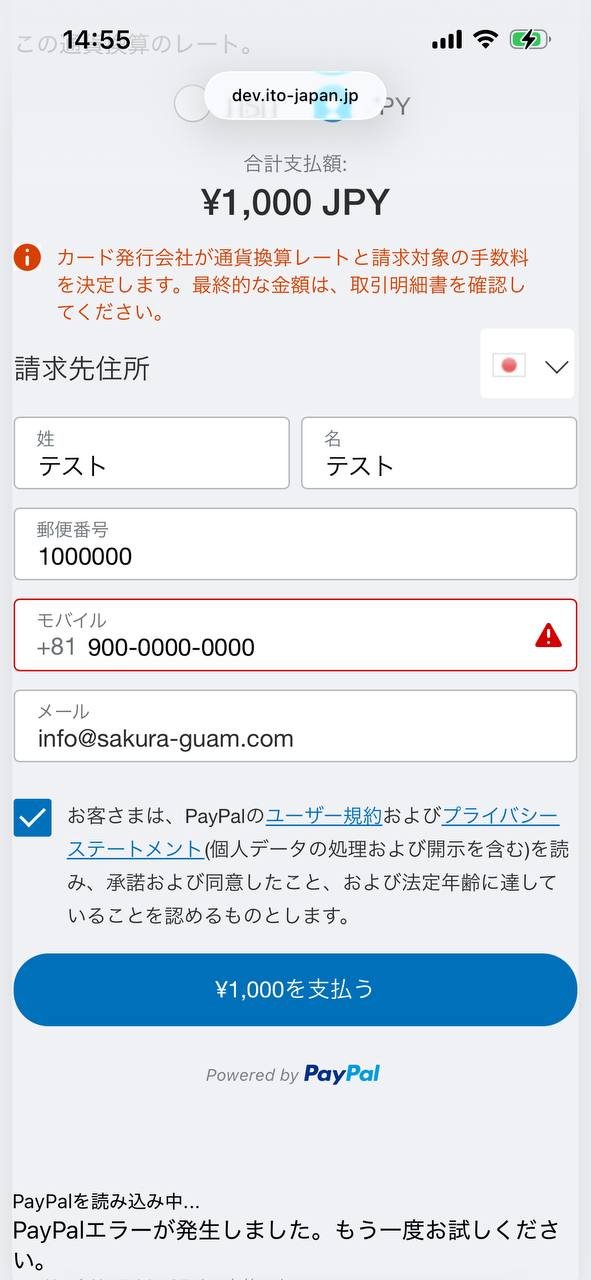
Not mockups. These are actual screens from the live system.
Simple, Transparent Pricing
No hidden fees. Just your monthly plan plus system usage fee.
No hardware purchase or rental required.
Simply subscribe to our monthly plan to unlock QR-POS functionality.
System fee only applies when a payment is made. Zero sales = zero fee.
PayPal's processing fees are charged separately based on your PayPal account agreement.
6 Reasons to Choose Us
Secure via Official PayPal API
All payments go through PayPal's official API. No card data stored in our system.
No Hardware or App
No dedicated terminal or app needed. Everything runs in a browser.
Real-Time Confirmation
The moment a customer pays, the merchant screen updates automatically.
Inbound & Cross-Border
Supports JPY and USD. Accept PayPal card payments from foreign customers.
Unified Transaction History
View all transactions in one place. Businesses see linked user histories too.
Business Register Mode
Business members get a dedicated register screen with their corporate PayPal account.
Start Accepting Cards Today.
No Terminal.
Free to sign up. With a PayPal account, QR-POS is ready in as little as 5 minutes.
No credit card required · Cancel anytime · Subject to PayPal Terms